

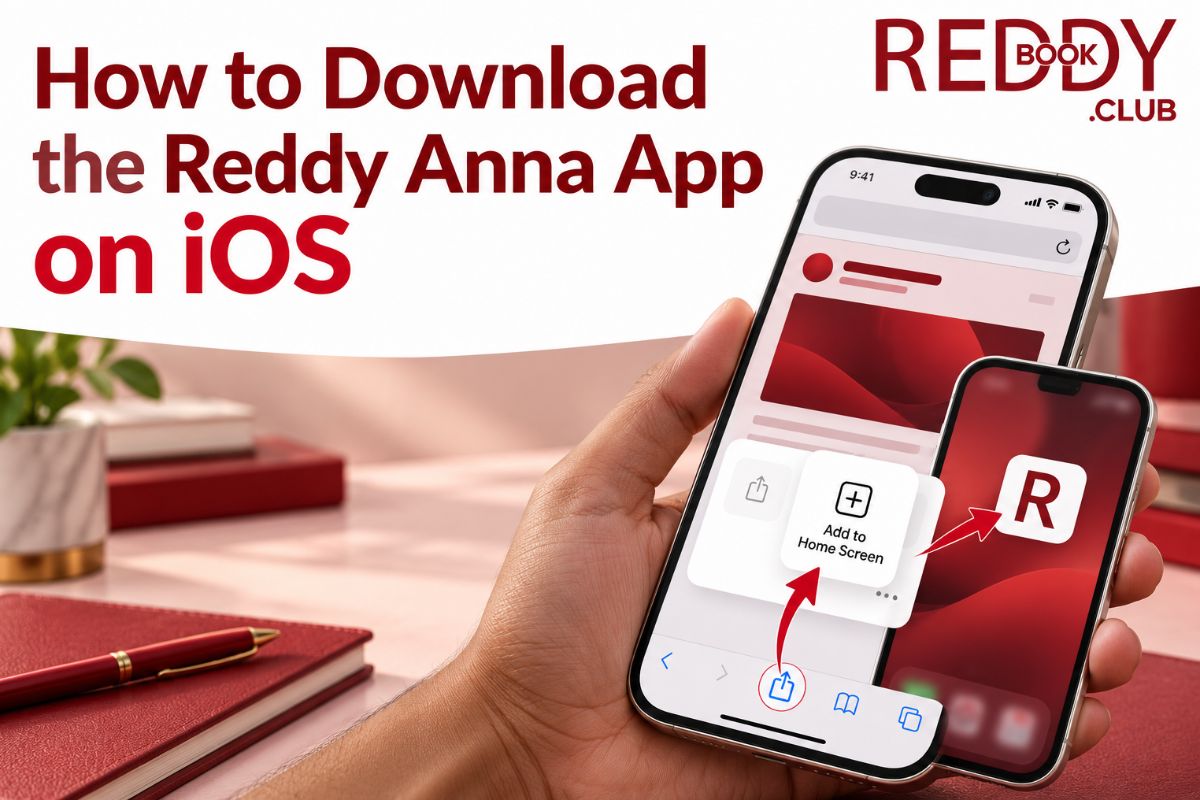
If you use an iPhone or iPad, you might have searched the App Store for “Reddy Anna Book” and found nothing. Do not panic. This is normal. Apple has strict policies regarding real-money gambling apps in India, which prevents us from listing our application directly on the App Store.
But you can still get the full app experience on your iOS device. We use a Progressive Web App (PWA) method. This creates a secure shortcut on your home screen that looks and acts exactly like a native app. It loads faster than Safari, keeps you logged in, and gives you instant access to live cricket odds and casino games.
This guide shows you exactly how to set it up in under two minutes.
Why Use the iOS Shortcut Instead of Safari?
You might wonder why you should bother adding a shortcut if you can just use the browser. Here is why the PWA method is better for daily bettors:
- Full-Screen Experience: The shortcut removes the Safari address bar and tabs. You get a clean, immersive interface dedicated entirely to betting.
- Faster Loading: The shortcut caches essential data locally. When you tap the icon, the dashboard loads instantly without waiting for the browser to render the whole page again.
- Persistent Login: Unlike standard browser sessions that might time out, the PWA keeps your session active securely. You won’t have to type your password every time you want to check a score.
- Data Efficiency: It uses less mobile data by not reloading background scripts every time you open it. This is helpful if you are on a limited 4G plan.
Step-by-Step: How to Install on iPhone and iPad
Follow these exact steps. You do not need to download any files or change complex settings.
Step 1: Open Safari
You must use the Safari browser for this to work. Chrome or Firefox on iOS do not support the “Add to Home Screen” feature in the same way. Open Safari on your iPhone or iPad.
Step 2: Visit the Official Website
Type reddyannabook.co.com into the address bar.
Warning: Always type the URL manually. Do not click links from random SMS messages or emails. Scammers often create fake sites to steal login details. Ensure you are on the official domain.
Step 3: Log In to Your Account
Enter your Reddy Anna Book ID and password. If you don’t have an ID yet, tap the WhatsApp button on the homepage to get one verified in minutes. Logging in first ensures that when you open the shortcut later, you go straight to your dashboard.
Step 4: Tap the Share Icon
Look at the bottom center of your Safari screen. You will see a square icon with an arrow pointing up. This is the Share button. Tap it once.
Step 5: Select “Add to Home Screen”
A menu will slide up from the bottom. Scroll down through the options until you see “Add to Home Screen”. It usually has a small square icon with a plus sign. Tap it.
Step 6: Confirm the Name
A new screen will appear asking what you want to name the app. You can leave it as “Reddy Anna Book” or shorten it to “Reddy Anna” to save space. Tap “Add” in the top right corner.
Step 7: Launch the App
Go to your iPhone’s home screen. You will now see the Reddy Anna Book icon alongside your other apps like WhatsApp and Instagram. Tap it. The app will open in full-screen mode, ready for betting.
Troubleshooting Common iOS Issues
Sometimes, things don’t go as planned. Here is how to fix the most frequent problems.
The Icon Opens Safari Instead of the App
If tapping the icon just opens a regular Safari tab with the address bar visible, you might have added a bookmark instead of a web app. Delete the icon from your home screen. Go back to Safari, ensure you are logged in, and repeat Step 5 carefully. Make sure you select “Add to Home Screen,” not “Add Bookmark.”
“Add to Home Screen” Option is Missing
This usually happens if you are using Chrome or Firefox instead of Safari. Switch to Safari and try again. Also, ensure your iOS version is 12.0 or later. Older versions may not support this feature fully.
The App Looks Blurry or Zoomed In
This is rare but can happen if your display settings are adjusted. Go to iPhone Settings > Display & Brightness > View. Ensure it is set to “Standard” rather than “Zoomed.” Restart your phone after changing this setting.
Is This Method Safe?
Yes. This is the standard method used by many international betting platforms that cannot list on the App Store.
- No Malware: You are not downloading an executable file (.ipa) from a third party. You are simply creating a link to our secure, SSL-encrypted website.
- Data Protection: The connection uses 256-bit encryption. Your login credentials and UPI details are scrambled before they leave your phone.
- Official Source: As long as you started at reddyannabook.co.com, the shortcut points only to our verified servers.
Final Thoughts
Getting Reddy Anna Book on your iPhone takes less time than making a cup of coffee. Once the icon is on your home screen, you have instant access to live IPL odds, Teen Patti tables, and 2-minute UPI withdrawals.